More than a chat beside a document. Connect sources, findings, business standards and deliverables in one workspace. Explore five views of the product below.
Your preferences, remembered. Your revisions, in context.
Spend less time repeating preferences. Review changes and comments alongside the contract.
MEMORY · LABS
Personal memory you control
Opt in to let the agent remember long-term working preferences. Add, edit or delete them yourself, or turn memory off. Later tasks use saved preferences; your current instructions take priority.
“Remember: lead with the conclusion, then cite the evidence. Keep it concise.”
For working and communication preferences. Contract facts and review evidence stay in the current materials. Disabling or deleting memory does not rewrite past conversations.
Select a clause and instruct the agent to edit it. Explicit edits are saved as pending tracked changes. Navigate between changes, comments and their text; accept or reject changes and reply to or resolve comments separately.
“Change the selected payment term to 60 days. Keep the rest unchanged.”
Linked document outline · Autosave · Named milestones · Version restore · Revised and clean DOCX downloads
Registered accounts can turn single-user DOCX review on or off in Settings → Labs. Turning it off keeps saved changes, comments and versions. The uploaded original is retained; resolve all pending changes before clean export. PDFs support reading, analysis and suggestions, not native Word redlining. Complex layout compatibility is still being evaluated.
Move from “What does it say?” to “Where does it say that?”
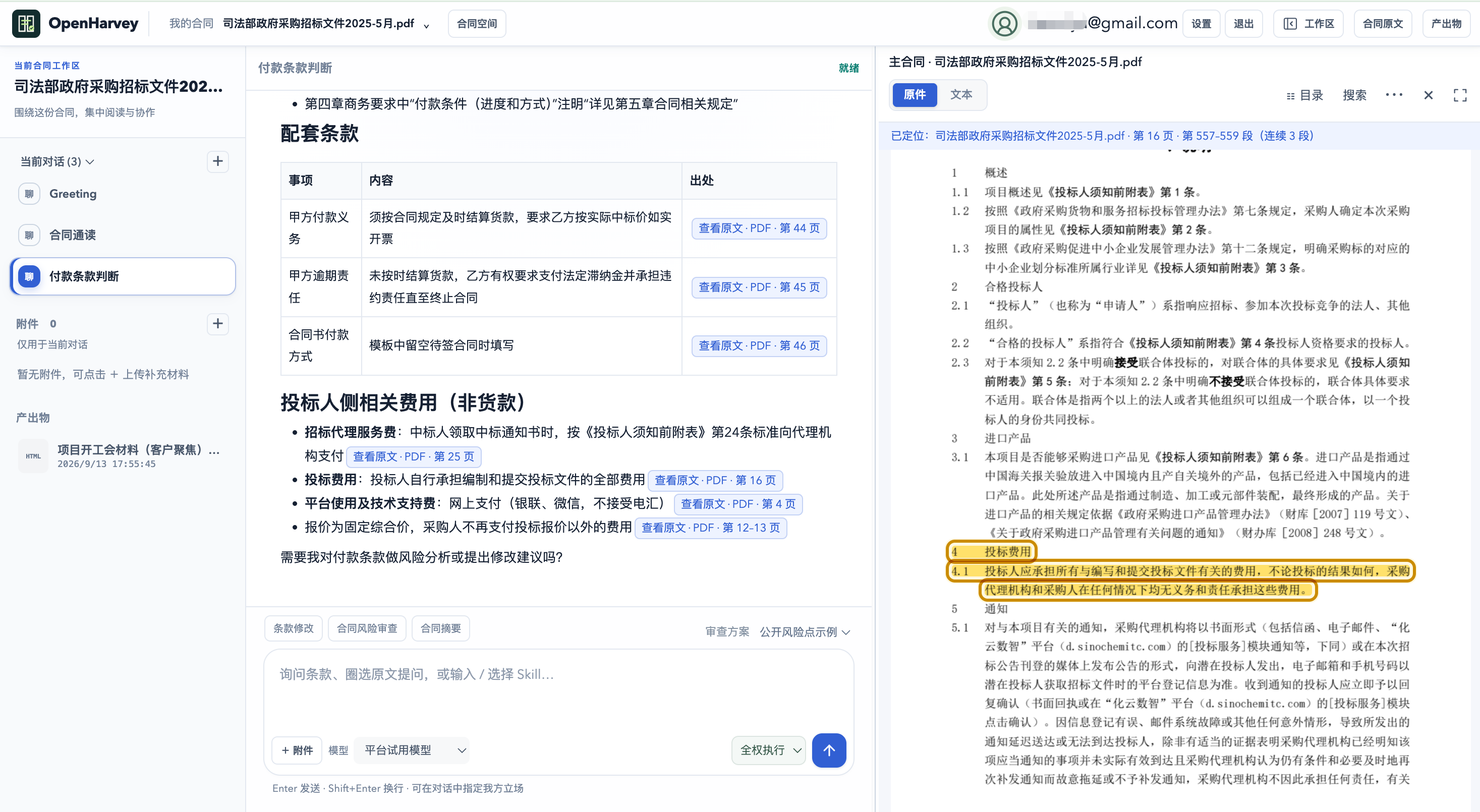
Compare answers with the original document side by side. Follow valid citations to the relevant page and continuous passages, with highlighted clauses for direct verification.
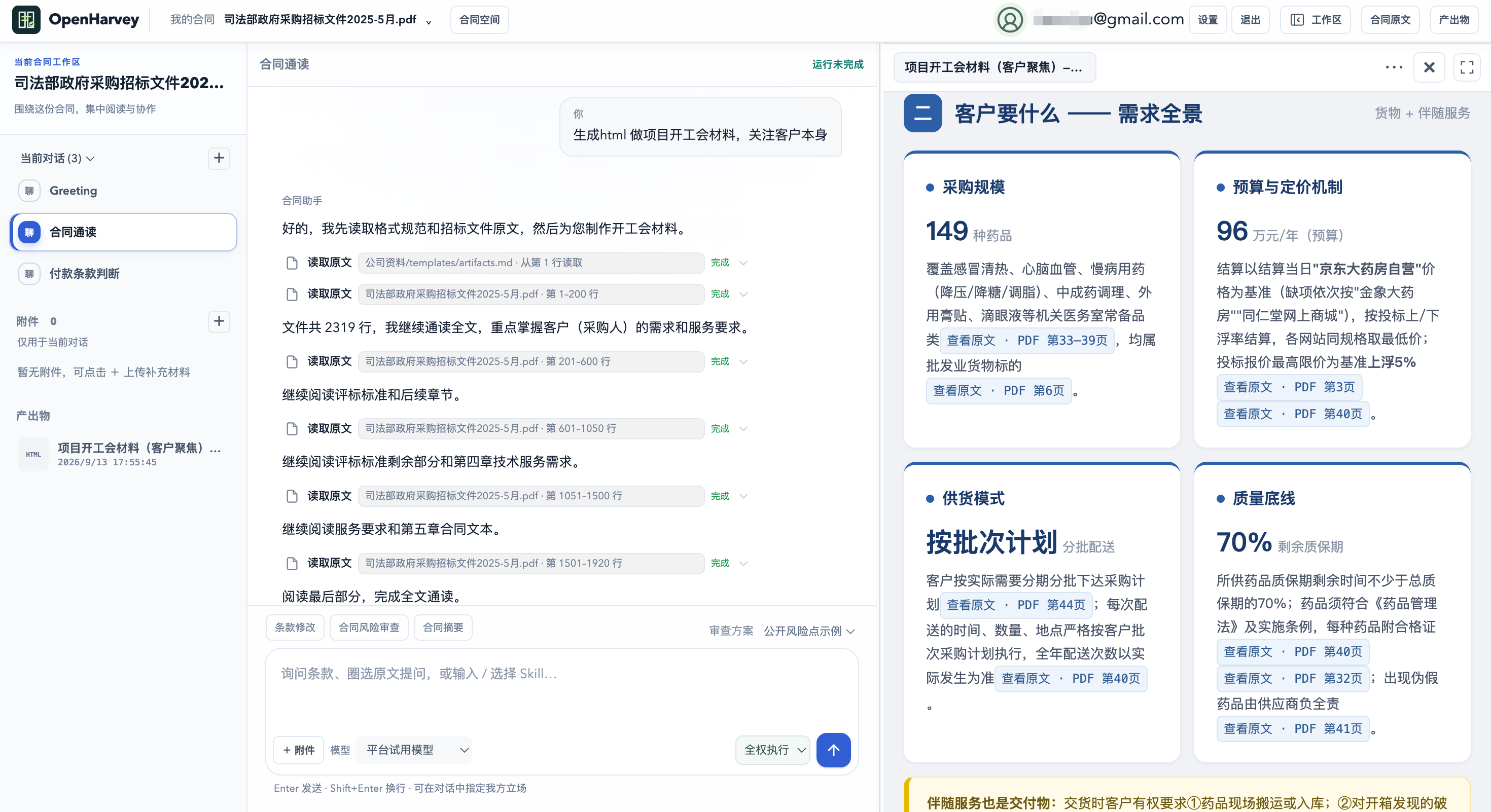
Turn a contract into a kickoff briefing, a risk report and a next step.
Go beyond a fixed report template: create project kickoff materials, risk review reports, summaries, clause comparisons, HTML dashboards or structured lists. Saved outputs appear in the deliverables pane for preview in supported formats and download.
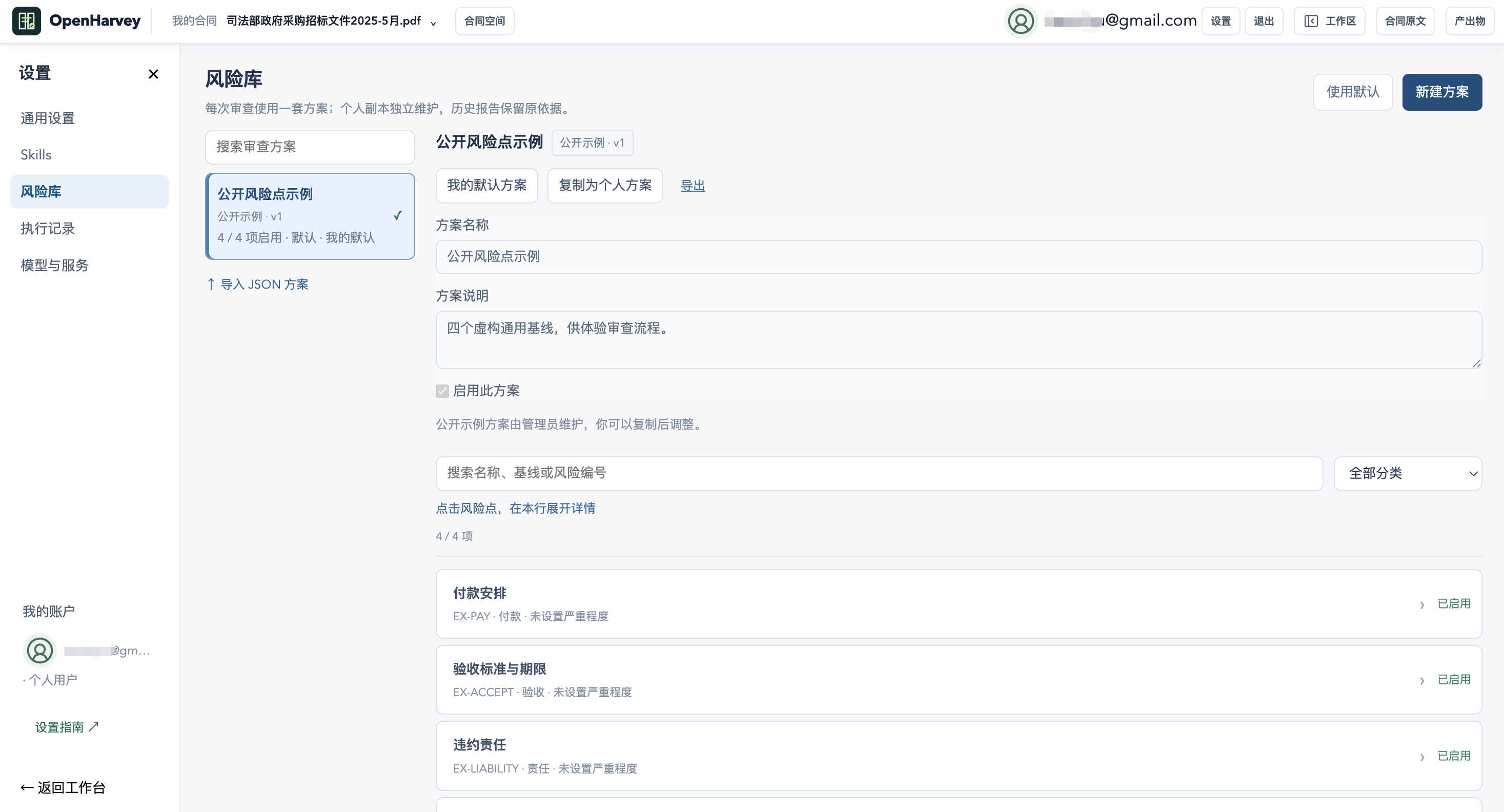
Apply your business standards from the perspective that matters to you.
Start with four illustrative checks covering payment, acceptance, liability and termination. Copy a playbook into your account, adjust checks and baselines, and set your perspective as Party A, Party B, buyer or supplier.
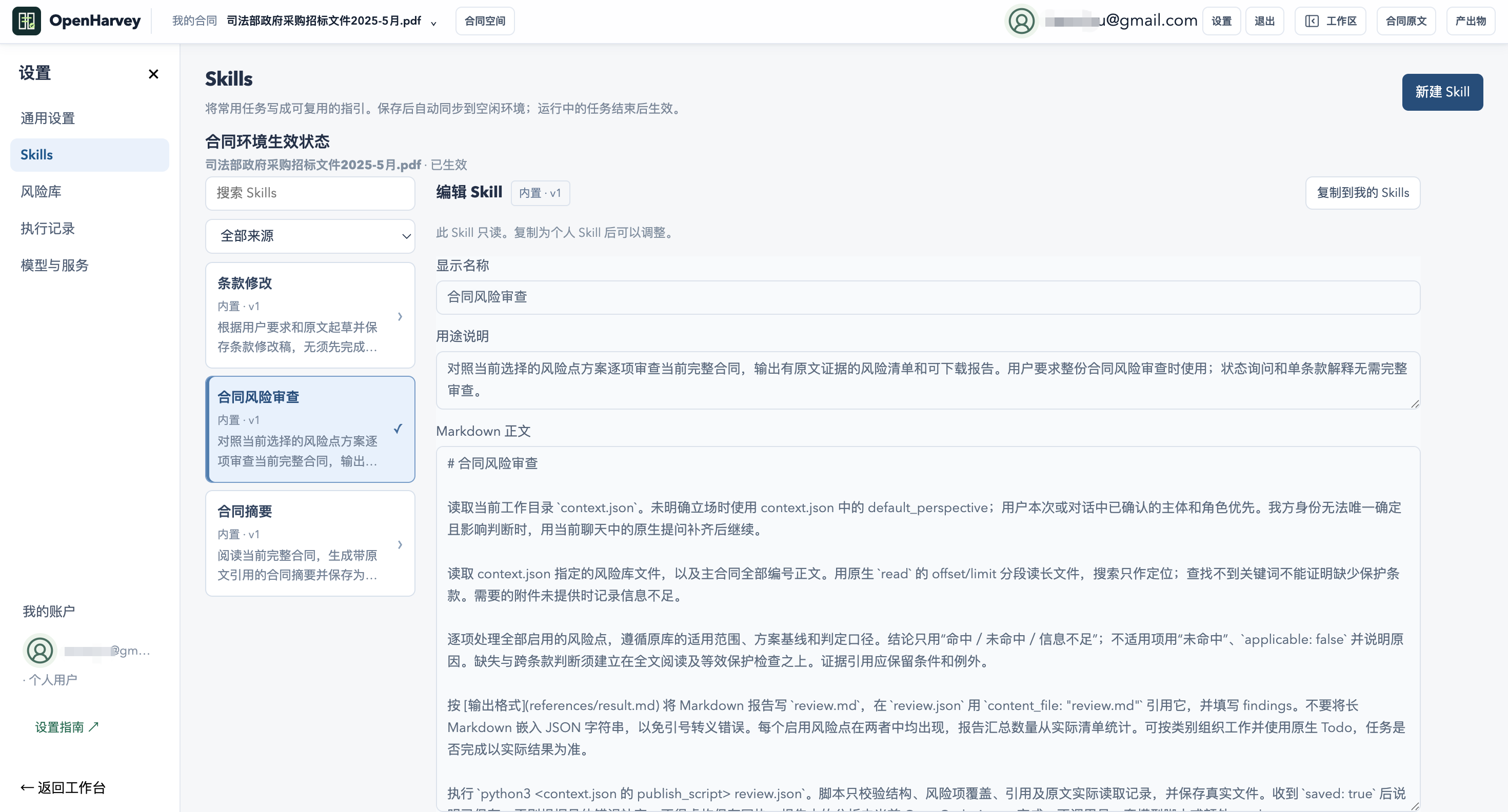
Turn a useful workflow into a Skill you can use again.
Start with contract summaries, contract risk review and clause revision. Copy, edit or add personal Skills to turn recurring steps, references and delivery requirements into reusable agent instructions.
Choose a model around your task, budget and preferences.
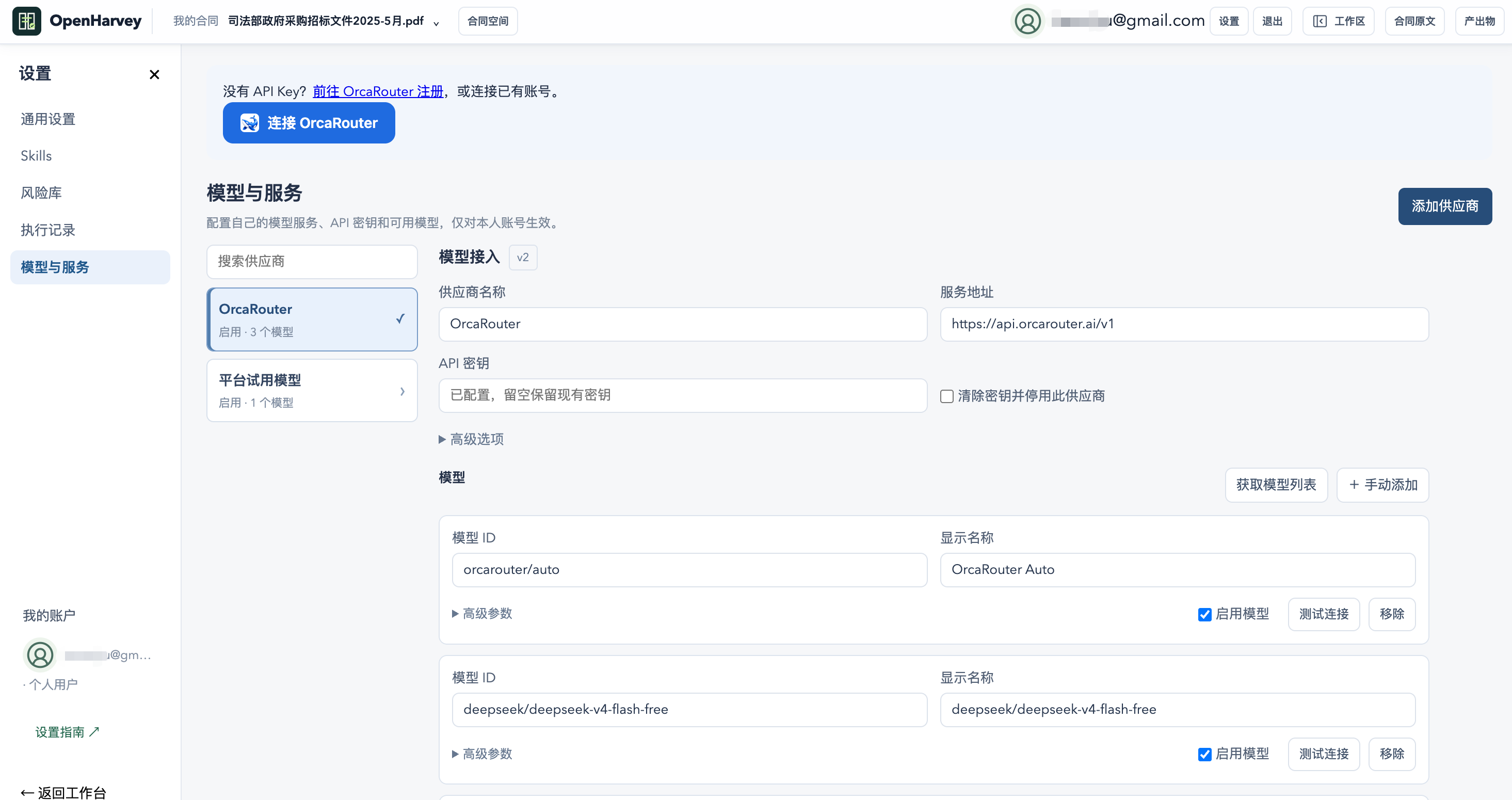
The hosted demo defaults to 10 task requests; registration raises the total allowance to 20, including requests already used by the same demo identity. Bring your own API key, endpoint and model IDs for OpenAI-compatible services, or connect OrcaRouter.
Owner-supplied screenshots show the Chinese workspace; account identifiers are masked in the supplied images. They illustrate the interface, not independently verified review results. Preview availability depends on the saved format, not token-by-token rendering of every file. Trial requests count tasks, not internal model calls; allowances may change and the workspace shows your current balance. BYOK requires a compatible API and tool-calling support; provider charges and sandbox limits still apply.
Connect Feishu / Lark documents, wikis and Base to contract and tender tasks. Authorize through the official website to read sources, save results and carry out requested actions within your permissions.
01 / POLICY
Review with business context
Find channel sales policies and compare payment terms, authorization scope and rebates with the contract’s direct or channel sales context. Cite the policy sources.
02 / TENDER
Bring company knowledge into tender preparation
Compare tender requirements with accessible product and delivery materials. Prepare response points, gaps and questions, then save a shared document when requested.
03 / FOLLOW-UP
Connect reports, registers and follow-up
Save a risk report with its actual link. Read Base fields before updating the specified record. When explicitly asked to notify someone, find the contact and send a message as you.
Each workspace account authorizes separately, and contract spaces use their own E2B sandboxes. App permissions and organization approval still apply; messaging and contact search need additional consent. Feishu document and Base workflows have been exercised end to end; Lark international and messaging await live-account acceptance.
 OpenHarvey